

Show Key Points
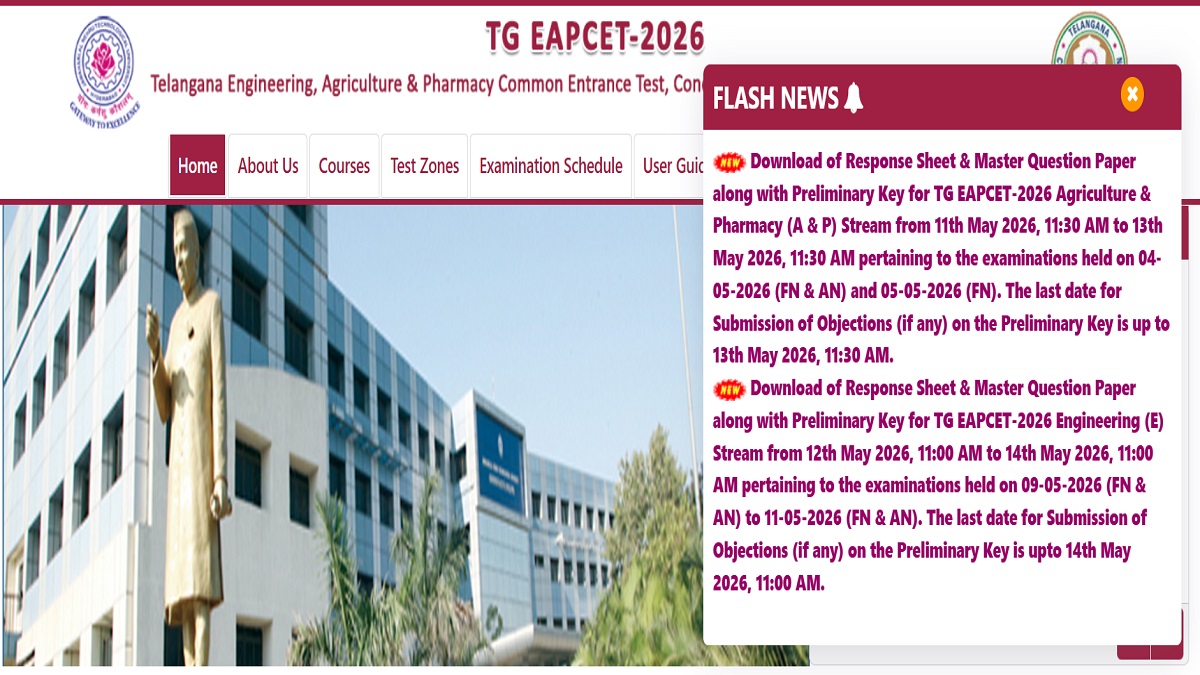
Jawaharlal Nehru Technological University, Hyderabad, will release the TS EAMCET 2026 provisional answer key, response sheet and master question papers for the engineering stream today, May 12, 2026. According to the official notification, the provisional key, question paper and response sheets will be available from 11 AM on the official website. Those who have appeared for the exams can submit challenges on the provisional answer key until May 14, 2026.
The link to download the TG EAPCET 2026 provisional answer key, response sheet and master question paper will be available on the official website - eapcet.tgche.ac.in. Once released, candidates can download the PDF and cross-check before submitting the challenges. Students must note that a fee has to be submitted as per the challenges raised. Based on the challenges, the final answer key and TS EAMCET 2026 Engineering Results will be announced.
The TS EAMCET 2026 provisional answer key, response sheet and master question paper for the Agriculture and Pharmacy examinations have been issued on the website. The last date for candidates to submit the challenges is May 13, 2026.
TG EAPCET 2026 Answer Key, Response Sheet, Master Question Paper
The links for candidates to download the TS EAMCET 2026 provisional answer key response sheet and master question paper for the Agriculture nd Pharmacy programmes is given below.
| Agriculture and Pharmacy | Links | Engineering | Links |
| Response Sheet | Response Sheet | TBA | |
| Master Question Paper | Master Question Paper | TBA | |
| Answer Key | Answer Key | TBA |
How to Raise Objections on TS EAMCET 2026 Provisional Answer Key
The link for candidates to submit the challenges on the preliminary answer key is available online. Follow the steps provided below to submit the objections
Step 1: Visit the official website of TG EAPCET
Step 2: Scroll down to click on the answer key challenge link for the desired course
Step 3: Read through the instructions and enter the hall ticket number. Registration Number and Date of Birth
Step 4: Click on the question Id and submit the challenge
Step 5: Upload the supporting documents
Step 6: Submit the requisite fee
Step 7: Save and click on submit

![[LIVE] CBSE 12th Result 2026 Soon at cbse.gov.in, Check Your Marksheet - Link here](https://img.jagranjosh.com/images/2026/May/1252026/cbse-live.jpg)

Comments
All Comments (0)
Join the conversation